GETTING STARTED
Guides › Getting started
1. Your account and the game
- Create your account on the website. The same account gets you into the game and into My account.
- Download the installer (only from this website) and install it. You'll get a Revolución Online icon on your desktop.
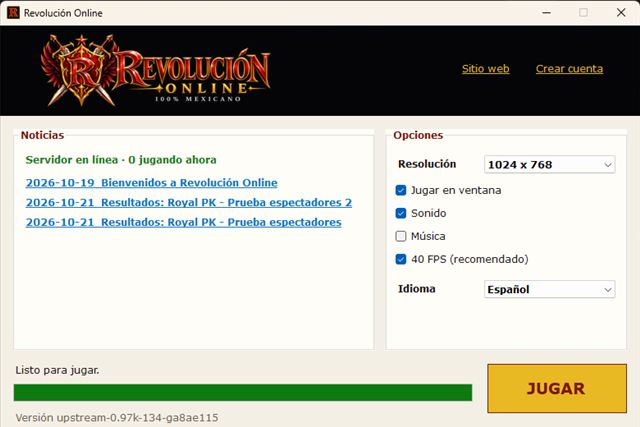
- Always open the game from that icon: it's the launcher. It checks that your game is complete, downloads only what changed and lets you choose resolution, window mode, sound, language, FPS and graphics card. Then press PLAY. In the launcher settings you can pick the game language: English, Spanish or Portuguese.
- Type your account and password, or paste them with Ctrl + V if you keep them in a password manager.
2. Your first character
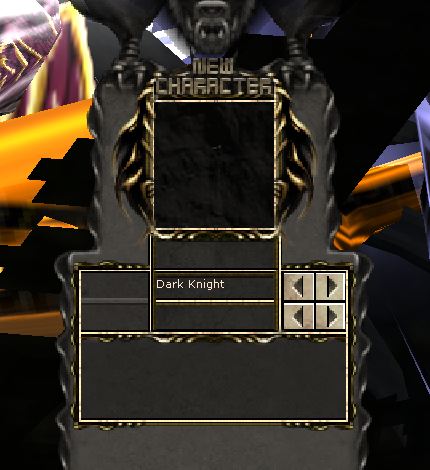
On the character screen press New Character, pick the class with the arrows and type a name (letters and numbers only). You can have up to 5 characters per account. Not sure which class to pick? Check out the classes.
- The Dark Knight and the Dark Wizard start in Lorencia; the Fairy Elf, in Noria.
- The Magic Gladiator unlocks once you have a character on your account at level 220 or with at least one reset.
- Every new character starts with 20 small healing potions.
3. The screen and the keys
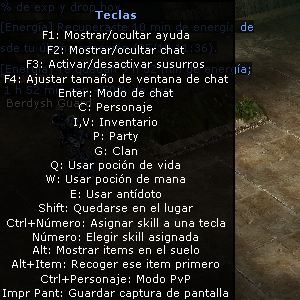
| Key | What it does |
|---|---|
| Left click | Walk, attack, talk to an NPC, pick up |
| Right click | Use the selected skill |
| 1 to 9 · Ctrl + number | Select a skill · save it to that number |
| Shift | Stay in place while attacking |
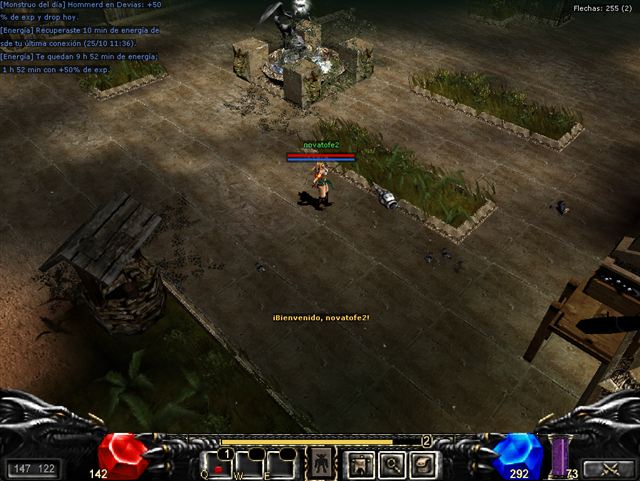
| Q · W · E | Potions on your belt (healing, mana and antidote) |
| V or I | Inventory |
| C | Your character and stat points |
| M | Map list to travel |
| P · G | Party · Guild |
| N | Put a note above your name that others can see: AFK, looking for a party, what you sell or buy, or your own text. Also with /nota (e.g. /nota sell elf wings) |
| J | Your jewel bank: deposit and withdraw Chaos, Bless, Soul, Life and Creation. Also with /bank |
| Space | Pick up what's on the ground near you (up to 2 tiles, without walking); hold it down to pick up everything.
Most valuable first: jewels, potions, boxes... → excellent items and everything else last. |
| Alt | See the names of items on the ground |
| Tab | Minimap |
| Enter | Type in the chat |
| Ctrl + V | Paste text (account, password and chat) |
| F1 · F2 · F4 | Help · hide the chat · chat history (3 sizes) |
| F8 | Opens the MU Helper window; with its Start button your character hunts on its own (allowed) |
| F9 | Autoclick (allowed): it turns off by itself after 10 min without touching the mouse or keyboard |
| Ctrl + click | Attack another player (only where it's allowed) |
4. Leveling up and stat points
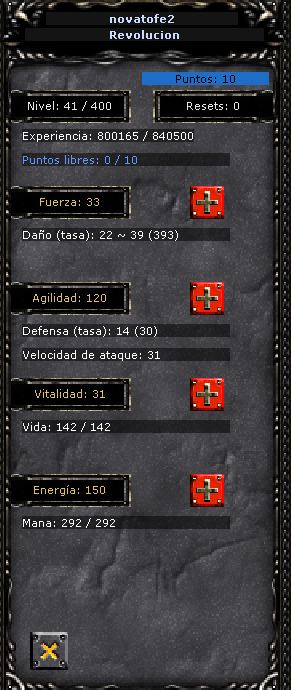
Every level gives you 5 points (7 for the Magic Gladiator). Add them with the C key, with the commands /str, /agi, /vit and /ene (e.g. /str 50) or from My account with the game closed.
- Strength: Dark Knight damage and the requirement for heavy weapons.
- Agility: defense, attack speed and Elf damage.
- Vitality: life.
- Energy: mana and magic damage.
The server runs 9x experience with the classic curve; from level 170 each bracket gives more experience, up to ×18.3 from 345 to 349. The max level is 350. See the table.
5. Your first levels
- Lorencia: head out east, toward the traveling merchant. Near town there are only Spiders, perfect for levels 1 to 10; farther out, Budge Dragons.
- Noria (elves): around town there are Goblins, the weakest monsters.
- Potions: Lumen the Barmaid (Lorencia) sells the small healing potion for 40 zen each, and the mana one for 40. They also buy the drops you don't use.
- Monsters drop zen when they don't drop an item. Sell what you don't use: early on, that's your best source of zen.
- Once you can handle it, find a map for your level in maps and spots, or ask the encyclopedia what you can kill.
6. What's next
- Second class: from level 150, with Sebina's quests in Devias. See the classes.
- Reset: when you reach level 350 you go back to level 1 and keep your points. See how to reset.
- Events and tournaments: in-game events and tournaments.
Does the game stutter now and then?
If the game freezes for half a second every so often, it's almost always the graphics card: many laptops have two (an integrated one that saves battery and a more powerful dedicated one) and Windows sometimes gives the game the integrated one.
- The easy way: in the launcher, leave "Use the dedicated graphics card" checked (it comes checked). The launcher asks Windows for it before opening the game.
- By hand (if you play on another computer): Windows Settings → System → Display → Graphics → find
main.exein the game folder (usually%LOCALAPPDATA%\Revolucion Online) → Options → High performance. - On a laptop, play plugged in with the power mode on Best performance: on battery, Windows slows down the processor now and then.
- If it's still the same, try turning off 40 FPS in the launcher and let us know on Discord what you noticed.